UTM
Label campaigns in the destination URL. Your destination site’s analytics must collect those parameters to report on them.
Create a dynamic QR code for packaging, signs or campaigns. Update where it leads from your workspace, whenever your plans change.
ONE PRINT. A NEW DESTINATION.
A dynamic code stores a Scanvoya short link. Your workspace controls where that link sends visitors.
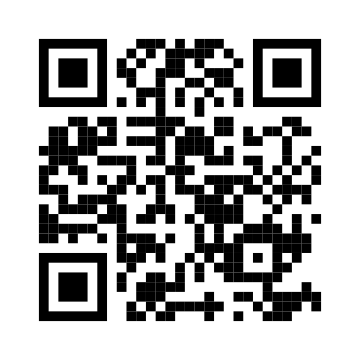 Same printed pattern
your-site.com/spring-menuIllustration only: the button changes this example. The sample QR opens scanvoya.com; it does not create or change a saved link.
CHOOSE BEFORE YOU PRINT
Both can be customized. The difference is what happens after the code leaves the editor.
| What you need | Static code | Dynamic code |
|---|---|---|
| Change the destination URL | Requires a new code | Edit the saved code |
| View visits in Scanvoya | Unavailable | Recorded through the dynamic link |
| Add a password or schedule | Unavailable in Scanvoya | Manage in your workspace |
| Keep a printed code working | Original destination must stay available | Active trial or membership, service and destination required |
YOUR NEXT UPDATE
This changes the link behind your code. Editing the visual design requires a new download and print.
Enter a website address above and leave Dynamic QR code enabled. Save, sign in and download the code from your workspace.
Find it in QR codes, choose Edit and replace the destination URL. Save the changes; your existing dynamic short link stays the same.
Scan it with a phone to confirm the new page opens. Review any schedule, password or language-routing rules that could change the result.
Label campaigns in the destination URL. Your destination site’s analytics must collect those parameters to report on them.
Control entry with a password, opening date, expiration date or visit limit. These rules can stop a link even while membership is active.
Choose alternative destinations for supported language or device conditions, and keep a sensible default for everyone else.
You can change the destination of a dynamic code created in your Scanvoya workspace. A static code already printed with a fixed address cannot be converted into a dynamic code. If you control the website at that address, you may be able to change its content or redirect it yourself.
You can edit the saved design and download a new image. Those visual changes do not alter paper or packaging that is already printed. Changing a dynamic destination is different: the same printed pattern continues to work because its short link stays the same.
Yes. You can replace the destination with another valid public web URL. Check that it is the page your audience expects and that it opens without an unwanted sign-in. Existing passwords, schedules and routing rules still apply until you change them.
No. Dynamic-link analytics count recorded visits and show information such as time, device category and referral source. The same person may visit more than once, and automated requests may affect counts. Treat these as visit trends, not verified unique customers or completed purchases.
Canceling automatic renewal keeps access until the end of the paid period. Once your trial or membership actually expires, dynamic links stop redirecting and saved downloads are blocked until membership is active again. Your saved items remain in your workspace.
CLEAR FROM THE START
Your 7-day trial begins with your first saved QR code, barcode or smart link. It includes 5 saved items in total. No credit card is required to start.
After the trial, membership is required for new saves, downloads and active dynamic links. Membership includes unlimited saved items at US$14/month or US$88/year, plus applicable tax. It renews automatically until canceled.